To make www.yourdomain.com redirect to yourdomain.com on a Cloudflare Pages project, follow these steps:
- Check that
wwwis Proxied- Go to the domain's
DNS > Records. - The
wwwrecord must have its Proxy status set to Proxied (orange cloud). If it is DNS only, the rule will not apply.
- Go to the domain's
- Go to Redirect Rules
- In the domain menu, go to
Rules > Redirect Rules.
- In the domain menu, go to
- Create a rule from a template
- Click Create from template and choose the Redirect from WWW to root template.
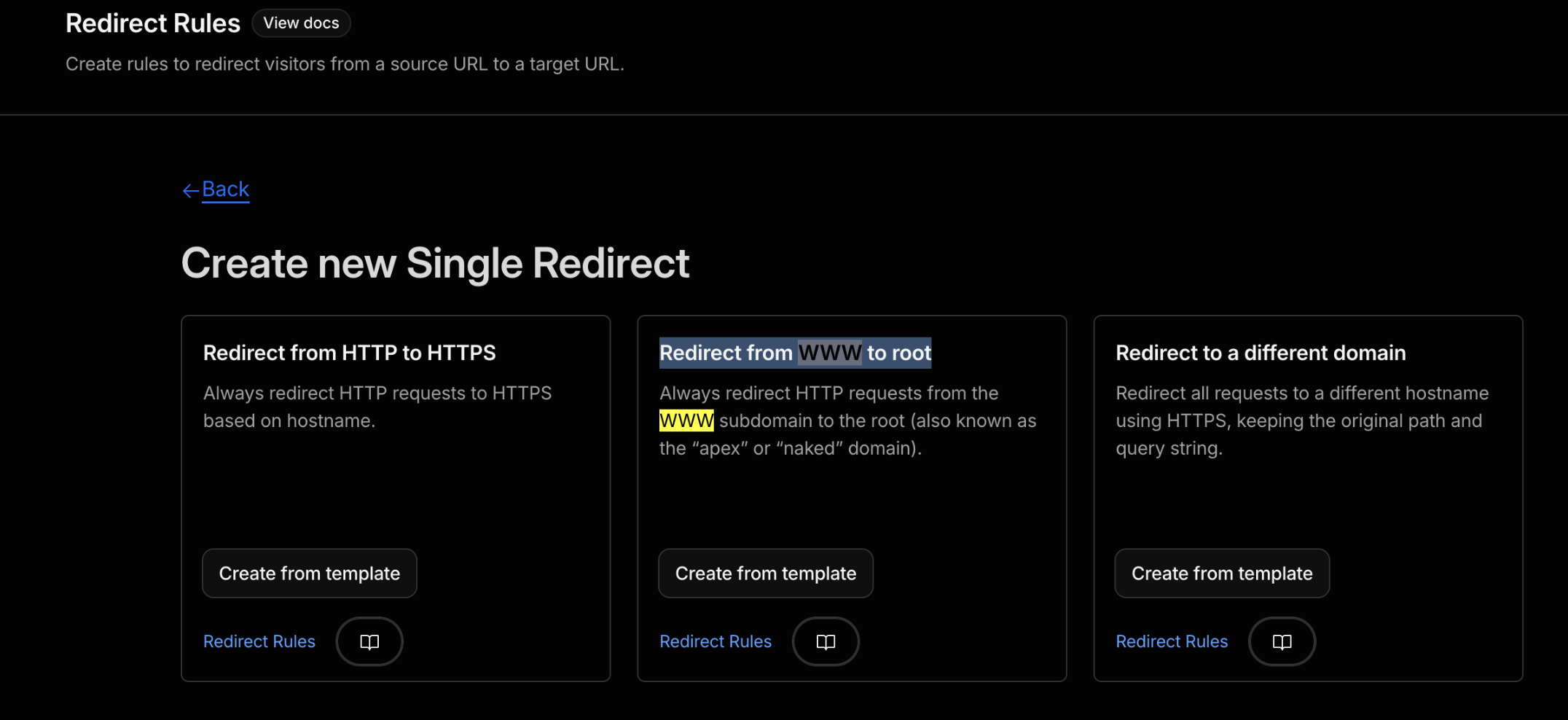
- Deploy the rule
- Click Deploy. Cloudflare always shows the "This rule may not apply to your traffic" warning to remind you that
wwwmust be Proxied. - If you already checked it in step 1, keep Ignore and deploy rule anyway selected and click Deploy rule.
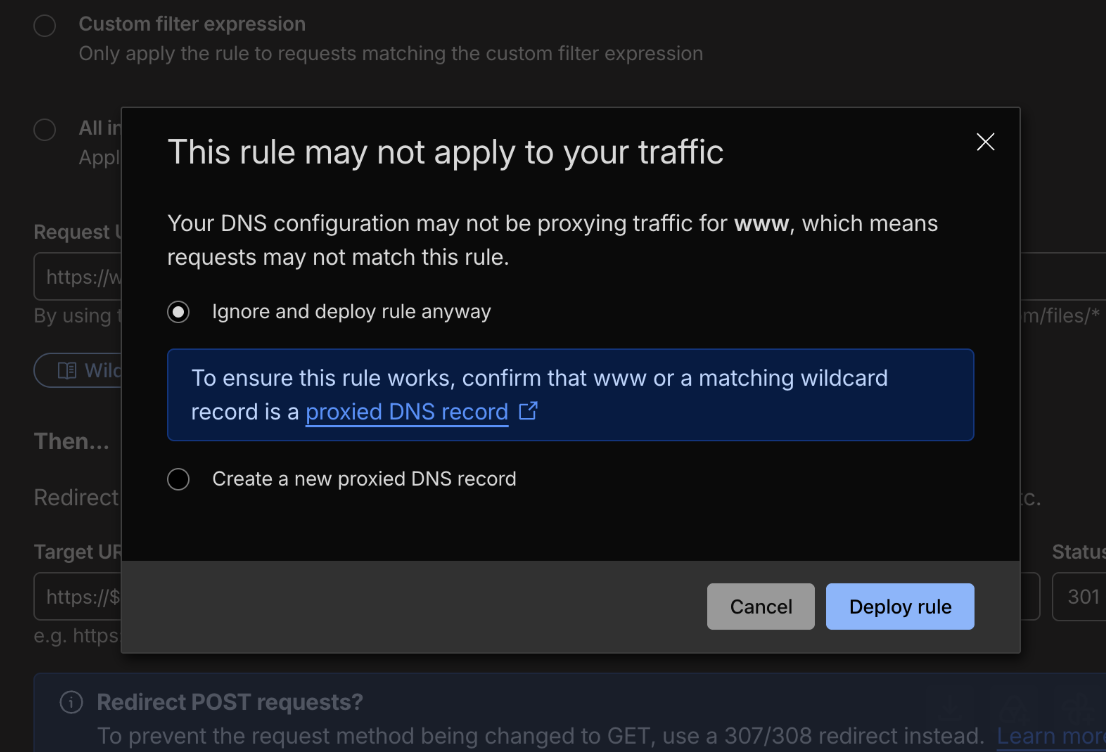
- Click Deploy. Cloudflare always shows the "This rule may not apply to your traffic" warning to remind you that
If everything went well, opening www.yourdomain.com will take you to yourdomain.com.